People making international online payments for the first time may have questions such as:
- Why can’t I pay for an overseas software subscription?
- Why was my payment for ChatGPT Plus, Claude, or another SaaS service declined?
- Why can’t I add my card to a Facebook Ads or Google Ads account?
- Can I make an international payment without a foreign-issued credit card?
Some providers offer virtual cards for international online purchases. This guide describes the workflow for a provider that accepts USDT funding; not all virtual card providers support it.
The general process is Buy USDT → Fund a Virtual Card → Make an Online Payment.
The five steps below explain that process. Confirm that the exchange, card provider, funding method, and intended purchase are available and permitted in your location before proceeding.
Step 1: Create an Exchange Account and Buy USDT
For a provider that accepts this funding method, you first need USDT, Tether’s U.S. dollar-pegged token.
USDT is designed to track the U.S. dollar, although its market price can vary:
1 USDT ≈ 1 USD
Confirm that your chosen card provider accepts USDT deposits before buying it for this purpose.
A typical exchange process is:
Register an exchange account
↓
Complete identity verification (KYC)
↓
Buy USDT
Depending on the exchange and region, purchase options may include:
- A bank transfer using local currency
- An eligible card payment
- Peer-to-peer (P2P) trading
After the purchase settles, check the USDT balance in your exchange account.
For example:
An illustrative purchase:
100 USDT
At an assumed rate of 1 USDT to 1 USD:
100 USDT has a value of approximately USD 100 before fees and conversion costs. This is not a guaranteed card spending limit.
Step 2: Choose a Supported Transfer Network
Before transferring USDT to the card provider, check its supported token, network, deposit address, minimum amount, and fees.
Networks that providers may list include:
TRC20 on TRON
Features:
Transfer times and costs depend on the network and exchange. Use TRC20 only if the recipient explicitly supports that token and network.
ERC20
Features:
ERC20 transfers use Ethereum. Network fees vary and may be significant for a small transfer.
BEP20 on BNB Chain
Features:
Some services support a USDT representation on BNB Chain. Confirm the exact token and network with both services; do not assume it is interchangeable with USDT on another network.
Important:
Before confirming a transfer:
The token and sending network must match the recipient’s deposit instructions.
For example:
If the provider supplies:
USDT-TRC20 address
Select the matching network when withdrawing from the exchange:
TRC20 network.
A transfer using the wrong token, address, or network may not be credited and may be unrecoverable.
Step 3: Deposit USDT with the Card Provider
Sign in to the card provider’s dashboard.
Find the funding or deposit section, for example:
Funding Center
Select:
Deposit asset:
USDT
Select network:
A network supported by both the sending and receiving services
The provider will display a deposit address and any additional instructions.
Copy and check the address carefully.
Return to the exchange and open its withdrawal screen.
Select:
Withdraw USDT
↓
Enter the deposit address and matching network
↓
Check the details and confirm the transfer
Wait for the required network confirmations and provider processing.
Confirm that the deposit has been credited before creating or funding a card.
For example:
Illustrative deposit:
100 USDT
Account balance:
Approximately USD 100 before applicable fees, assuming a 1:1 conversion rate
Step 4: Create a Virtual Card
Once the provider credits your deposit and you meet its account requirements, follow its process to create a virtual card.
A typical dashboard path is:
Account dashboard
↓
Card management
↓
Create card
The card details typically include:
- Card number for the supported card network
- Expiration date
- CVV security code
These details are used at card checkout, much like the details on a physical card.
Step 5: Add the Card to an Eligible Service
The card can be used only where the issuer, merchant, and regional rules allow it. A virtual card does not guarantee acceptance or resolve an account eligibility restriction.
Potential uses, subject to eligibility and merchant acceptance, include:
AI Tool Subscriptions
For example:
- ChatGPT Plus
- Claude Pro
- Gemini
- Midjourney
At the service’s secure checkout page, enter the requested details:
Card number
↓
Expiration date
↓
CVV
↓
Billing address
Review the charge and renewal terms, then confirm payment if you agree.
Advertising
For example:
- Facebook Ads
- Google Ads
- TikTok Ads
After adding an accepted payment method:
The advertising platform may charge it according to your selected billing settings.
International Software Services
For example:
- Cloud hosting
- Domain registration
- SaaS tools
- Enterprise software
An eligible virtual card may be accepted for these purchases. Check the merchant’s payment rules.
Why Use a Virtual Card?
1. A Digital Card Without a Physical Card
A traditional credit card application may involve:
Requirements such as:
- A bank application
- A credit check
- Approval and card issuance
For a virtual card:
The application, identity checks, and approval requirements depend on the issuer and card product.
2. Manage International Expenses
For businesses and teams:
Some providers offer tools to:
- Manage several cards
- Allocate budgets
- Set spending limits
For example:
Advertising team:
Account A → one card
Account B → one card
Separate cards can help you track each account’s costs.
3. Support Eligible Cross-Border Purchases
Potential uses include:
✅ International advertising
✅ AI tool subscriptions
✅ Software purchases
✅ Payments for international services
✅ Cross-border e-commerce expenses
FAQ
Q1: Where Can I Buy USDT?
Use a digital asset service that is legally available in your location and supports your intended purchase and withdrawal.
Before purchasing:
- Check the provider’s legal availability and terms
- Enable account security features
- Review custody, transfer, and counterparty risks
Q2: What Fees Apply to Funding a Virtual Card?
Fees and conversion rules vary by provider.
Possible costs include:
- On-chain transfer fees
- Provider deposit or conversion fees
- Card transaction fees
Review the complete fee schedule and expected amount credited before sending funds.
Q3: What Should I Check Before Using a Virtual Card?
A virtual card is a digital payment instrument. Its reliability depends on the issuer, provider, account controls, and applicable protections.
Account and card precautions:
✅ Keep card details and CVV private
✅ Use the card only for permitted transactions
✅ Secure your account and complete required verification
✅ Set spending limits for each purpose
The Five-Step Workflow
For a provider that supports USDT funding, the workflow is:
Register on an exchange
      ↓
Buy USDT
      ↓
Transfer USDT to fund the virtual card platform
      ↓
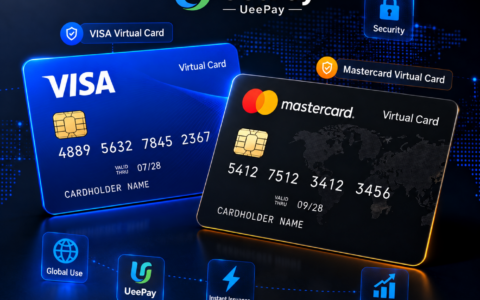
Create a Visa/Mastercard virtual card
      ↓
Link it to overseas platforms for purchases
A foreign-issued card is not a universal requirement for international purchases. Acceptance depends on the merchant, issuer, and region.
Eligible virtual cards can help individuals and businesses manage international online purchases.
Choose a payment method that fits your intended subscriptions, advertising, or business purchases and is accepted by the service.
Confirm the details at each stage before committing funds.
Purchasing USDT, depositing it with a provider, and making a card payment are separate steps, each with its own requirements and fees.
Possible use cases include:
✅ Eligible AI tool subscriptions
✅ Supported Facebook, Google, or TikTok advertising payments
✅ Cross-border e-commerce expenses
✅ International software purchases
✅ Business payment management
A suitable card can give you more control over online spending, subject to the issuer’s features and the merchant’s acceptance rules.
Compare card eligibility, supported merchants, fees, funding options, and account requirements against your business needs.
To explore a virtual card service, ask for its current terms, issuer details, fees, and supported use cases.
Features to ask about include:
✔ Supported purchase categories
✔ Multiple-card management
✔ Business and team accounts
✔ API integration and distribution partnerships
Confirm which features are available for your account before signing up.
📩 For information about virtual card applications, business partnerships, and distribution options:
Telegram: @XK726
本文由 VCCMap 虚拟卡指南整理,转载请注明出处:https://vccmap.com/en/%e5%b0%8f%e7%99%bd%e6%95%99%e7%a8%8b%ef%bc%9a%e4%bb%8e%e4%b9%b0-usdt-%e5%88%b0%e8%99%9a%e6%8b%9f%e5%8d%a1%e6%b6%88%e8%b4%b9%ef%bc%8c%e5%8f%aa%e9%9c%80-5-%e6%ad%a5%ef%bc%882026-%e6%9c%80%e6%96%b0-en/