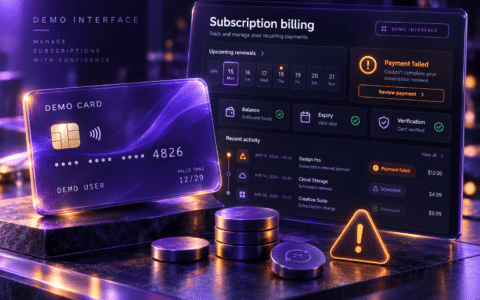
If your ChatGPT Plus card was declined on the web, check the expiration date, billing address and postal code, available balance, and whether your location and the card’s issuing country are supported. If Apple or Google handles your subscription, start in that store’s billing settings. For a renewal, confirm the card saved on the existing subscription before retrying.
Editorial review: October 13, 2026. Official guidance was checked for this update; no new card purchase, funding, payment, or refund test was performed.
1. Identify the subscription and billing channel
Write down whether the attempt was a first purchase, renewal, or plan upgrade. Use the receipt or checkout page to identify the billing channel. For the channel checklist, read web, app store, and API billing checks; for an upgrade problem, use the upgrade troubleshooting guide.
2. Read the error before adding funds
- Card declined: Review the issuer decline checklist.
- Authentication required: Check whether the bank verification step completed.
- Paid but no access: Compare the signed-in account with the account named on your receipt.
- Renewal failed: Compare the renewal record with the last successful invoice.
3. Compare available balance with the actual total
Use the final checkout amount and currency, including any displayed tax. A platform account balance may differ from available card balance. Check existing holds and the virtual card funding costs and balance checklist; increasing the deposit cannot fix every payment error.
4. Check card status and billing information
Look for an expired, frozen, or replaced card. Verify that the entered details match the records held by your issuer. Keep a note of the item corrected so that a later retry has a clear reason.
5. Complete required payment authentication
If checkout asks for a bank approval, follow that prompt and note whether it completes or returns an error. Do not post one-time codes, security codes, or full card details in comments or screenshots.
6. Choose the next support route
Prepare the error wording, time, amount, currency, billing channel, and the last four card digits if requested by the official support form. Ask the issuer about a declined transaction and use the billing provider’s support route for account or receipt discrepancies.
Official reference
OpenAI: card payment declines. Follow the current instructions and notices shown in your account.
Choosing a card for recurring bills? See virtual cards for subscriptions for merchant eligibility and total cost.
Prepared by VCCMap. Please credit the source when republishing:https://vccmap.com/en/chatgpt-plus%e6%80%8e%e4%b9%88%e8%ae%a2%e9%98%85%ef%bc%9f%e4%b8%ba%e4%bb%80%e4%b9%88%e9%93%b6%e8%a1%8c%e5%8d%a1%e4%bb%98%e6%ac%be%e6%80%bb%e6%98%af%e5%a4%b1%e8%b4%a5%ef%bc%9f-en/