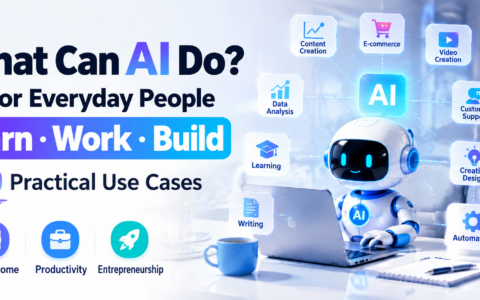
AI tools now support everyday tasks such as writing, research, design, and software development.
They can be useful for:
- Office work
- Content creation
- E-commerce operations
- Learning and professional development
- Business management
Choosing tools for specific tasks can help you work more efficiently.
For professionals and business owners, learning a few relevant tools can be more useful than collecting many subscriptions.
Here are nine named tools and one category of automation tools to explore in 2026. This is an editorial selection, not a ranked performance test. Features, prices, and usage limits vary by plan and region.
1. ChatGPT: A General-Purpose AI Assistant
OpenAI’s ChatGPT supports a range of writing, analysis, learning, and coding tasks.
Possible uses:
✅ Draft articles
✅ Develop plans
✅ Translate text
✅ Analyze data
✅ Get study support
✅ Get coding assistance
For example:
Businesses can use ChatGPT to draft marketing plans.
Marketing teams can use it to revise advertising copy.
Students can use it to explore concepts and practice skills.
ChatGPT can be a useful starting point for exploring AI. Review its output, particularly facts, calculations, and code.
2. Claude: Document and Text Analysis
Anthropic’s Claude can help analyze and summarize long documents, within the limits of the model and plan you use.
Possible uses:
- Summarizing reports
- Reviewing contract language
- Summarizing information
- Working with lengthy text
It can help individuals and teams find key points in documents. Check important conclusions against the source material.
3. Gemini: AI Assistance in Google’s Ecosystem
Google’s Gemini offers AI assistance and integrations with supported Google services.
Possible uses:
- Organizing information
- Assisting with office tasks
- Analyzing images
- Data processing
If you use Google services regularly, compare the integrations available on your account and plan.
4. Midjourney: AI Image Generation
Midjourney generates images from prompts and can help designers and creators explore visual ideas.
Possible outputs include:
- Product image concepts
- Poster concepts
- Illustrations
- Brand visual concepts
AI can speed up early visual exploration, while final work may still require editing and review.
5. Canva AI: Design Assistance
Canva combines templates and AI features to help users create designs such as:
- Presentations
- Posters
- Social media graphics
- Business promotional graphics
Small businesses and independent creators may find these tools useful for drafting everyday marketing materials.
6. GitHub Copilot: Coding Assistance
GitHub Copilot can help developers:
- Generate code suggestions
- Investigate bugs and propose fixes
- Complete routine development tasks
Review and test generated code before using it.
7. Notion AI: Notes and Workspace Assistance
Notion’s AI features can help with:
- Organizing notes
- Summarizing meeting notes
- Drafting work plans
These features can support team collaboration; availability depends on the plan and workspace settings.
8. Perplexity: AI-Assisted Search
Perplexity combines search with AI-generated responses to help users:
- Find information
- Summarize web content
- Explore research topics
It can provide a starting point for research. Open the cited sources and verify important claims.
9. Runway: AI Video Creation
AI video tools can help creators develop and revise visual content.
Runway offers tools for:
- Video generation
- Video editing
- Visual effects
These tools can make it easier to explore video concepts and edit footage.
10. AI Automation Tools
Businesses can also connect AI tools to workflows that reduce repetitive tasks.
For example:
Organize customer records
Draft email replies
Generate recurring reports
Analyze incoming data
Choose workflows with clear inputs, review points, and permissions before automating them.
Which Tools Fit Your Work?
Start with the tasks you perform most often.
Office Work
Options to compare:
ChatGPT, Notion AI, and Gemini
Content Creation
Options to compare:
ChatGPT, Midjourney, and Runway
Business Operations
Options to compare:
ChatGPT, AI customer support tools, and workflow automation tools
Software Development
Options to compare:
Claude and GitHub Copilot
Conclusion
Choose a small set of tools that solve recurring problems in your work.
A practical approach is:
Choose tools for specific tasks, try them on real examples, and review the results.
Compare output quality, cost, privacy settings, and the time saved before committing to a paid plan.
本文由 VCCMap 虚拟卡指南整理,转载请注明出处:https://vccmap.com/en/%e3%80%8a2026%e5%b9%b4%e5%8d%81%e5%a4%a7ai%e5%b7%a5%e5%85%b7%e6%8e%a8%e8%8d%90%ef%bc%9a%e6%8f%90%e9%ab%98%e5%b7%a5%e4%bd%9c%e6%95%88%e7%8e%87%e3%80%81%e5%ad%a6%e4%b9%a0%e3%80%81%e5%8a%9e%e5%85%ac-en/