When a virtual card payment fails, many people’s first reaction is that the card does not work. However, troubleshooting may reveal an issue with the balance, billing address, intended use, or account environment. The card is only one part of the payment process: a platform may also assess the account, region, device, IP address, and payment activity.
Do not rush to change cards: Save a screenshot of the error message and record the charge amount, billing address, account region, and card balance. Check these details one by one. Repeated retries without investigating the cause may lead to further failures.
Step 1: Check your balance and any verification charges
Many platforms place a small verification charge before processing the payment. If you add only enough to cover the subscription fee, that charge may leave an insufficient balance. This guide suggests keeping an extra $2-5 as a buffer.
Step 2: Check your billing address
Do not enter billing details at random. Check that the name, address, postal code, and country are consistent with the card provider’s requirements. If the platform requires a U.S. billing address, do not mix it with details from other regions.
Step 3: Check compatibility with your intended use
The same virtual card may not be accepted on every platform. AI subscriptions, advertising, cloud services, and SaaS purchases can involve different risk checks. Acceptance on one platform does not guarantee acceptance on another.
Step 4: Limit repeated retries
After a failed attempt, avoid immediately clicking Pay again or repeatedly changing cards. Pause, review the error message, and wait if necessary before trying again.
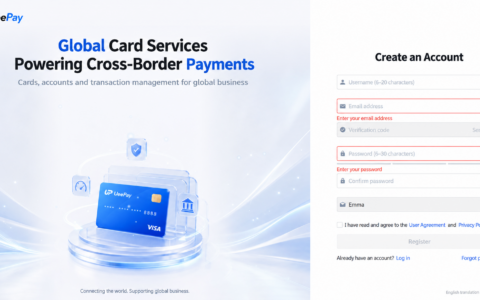
UeePay card opening offer: Through the VCCMap exclusive link, the listed card opening fee is $1 and the funding fee is 1%. First-time users should start with a small test amount and increase their budget gradually after confirming that the target platform accepts the payment.
If you are new to virtual cards, read A Beginner’s Guide to Virtual Cards before choosing a card and deciding how much to add.
本文由 VCCMap 虚拟卡指南整理,转载请注明出处:https://vccmap.com/en/%e4%b8%ba%e4%bb%80%e4%b9%88%e4%bd%a0%e7%9a%84%e8%99%9a%e6%8b%9f%e5%8d%a1%e6%80%bb%e8%a2%ab%e6%8b%92%ef%bc%9f%e4%b8%8d%e6%98%af%e5%8d%a1%e7%9a%84%e9%97%ae%e9%a2%98%ef%bc%8c%e8%80%8c%e6%98%af%e8%bf%99-3/