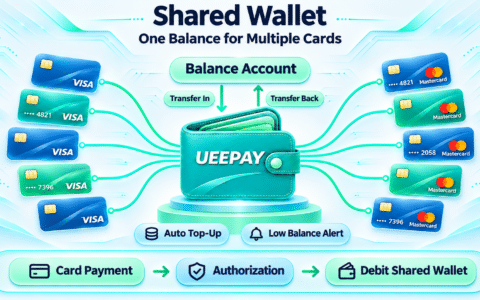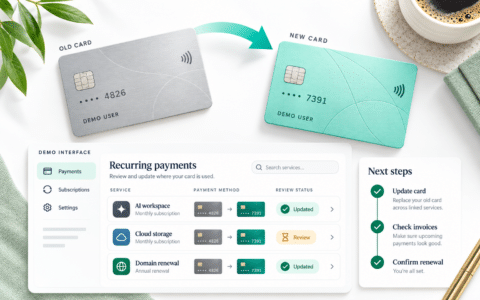
Evaluate a UeePay business card by the requirements of your business and the terms for the exact product. Public descriptions of features do not show which capabilities are enabled for your account or card option.
Editorial review: October 14, 2026. The public UeePay site did not provide a readable, complete product or fee schedule during this check. No authenticated dashboard or transaction test was performed.
Which features need product-level confirmation?
| Item | What to verify |
|---|---|
| Card network and issuing region | Confirm the card’s actual network, issuer, residence eligibility, and spending currency. |
| Physical cards, POS, and ATM use | Check whether these features apply to the specific product, not just another card in the provider’s range. |
| Apple Pay or Google Wallet | Ask whether the exact card can be added to the wallet on your supported device and in your region. |
| 3DS and billing verification | Check the supported authentication flow and the billing details attached to the card. |
| API and bulk card issuance | Obtain the current API documentation, access requirements, limits, and sandbox availability. |
| Transfers, withdrawals, and canceled-card refunds | Confirm where funds return, applicable charges, processing timelines, and account closure conditions. |
Business verification and operational controls
Confirm the legal entity and documents accepted for KYB, then identify who can issue cards, fund them, view details, or change limits. Ask about statements and transaction exports needed for reconciliation. A visible business registration option does not mean that every company or individual qualifies.
Funding currency, network, and credited amount
Check which currencies and networks are currently offered in the deposit interface. Match the exact network and address rather than relying on a general mention of USDT or USDC. A stated 1:1 conversion does not by itself establish the spendable balance after all charges.
Use the funding fee and available balance checklist to distinguish deductions from fees charged separately. Verify whether funds must be transferred from the platform account to each card.
Fees: Request a current quote
This guide does not publish a current fee range because the exact product, account tier, currency, and fee basis could not be independently verified during this review. Before funding an account, request a dated fee schedule covering card creation, funding, foreign exchange, transfers, ATM use, refunds, and recurring charges. Compare the total cost for the same amount and destination currency.
Check merchant requirements separately
Lists of advertising, AI, e-commerce, and travel services are potential use cases, not proof of merchant acceptance. Check each merchant’s requirements and the exact card restrictions before committing a budget.
Before a business rollout
- Obtain the current product terms and eligibility requirements.
- Confirm essential features in writing for the specific account.
- Calculate the full cost for the intended currency and volume.
- Document the refund, withdrawal, and support routes.
- Review access controls and expense records before issuing cards to a team.
For individual setup, read the UeePay setup guide.
Provider and contact references
UeePay official site. Confirm current terms in the provider’s authenticated account or through its official support. The official Telegram announcement channel is another place to check for provider notices, but a public announcement does not establish the terms enabled on your account. Registration does not guarantee eligibility, wallet support, or acceptance by any merchant.
UeePay official Telegram announcement channel
Prepared by VCCMap. Please credit the source when republishing:https://vccmap.com/en/%e4%bc%98%e6%98%93%e4%bb%98%ef%bc%88ueepay%ef%bc%89%e5%a4%9a%e5%b8%81%e7%a7%8d%e4%bc%81%e4%b8%9a%e6%94%af%e4%bb%98%e5%8d%a1-en/