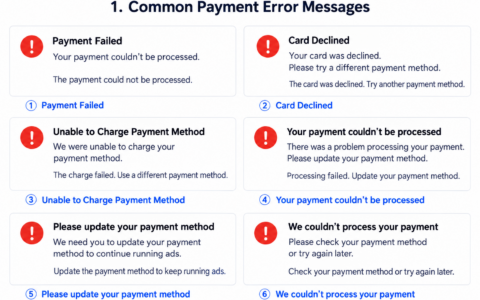
New advertisers often focus on creatives, audiences, and landing pages while leaving payment methods until last. When a campaign starts to scale, a failed charge may reveal that the payment setup was not ready.
Practical advice: Prepare your payment arrangements before launching ads. Do not wait until the account has incurred charges to look for a suitable card. Delays in resolving payment issues can affect the campaign’s learning phase and continuity.
Prepare these three things before launching ads
- Separate cards: Avoid linking every advertising account to the same card. At least separate cards by platform or project.
- A balance buffer: Keep funds available beyond the expected advertising spend for verification charges and additional billing.
- A fallback plan: Prepare a backup card and customer support contacts. Record which payment method is linked to each account.
Why use separate cards?
Separate cards make troubleshooting easier rather than adding unnecessary complexity. A payment issue with Google Ads can be investigated separately from Facebook Ads, and a budget issue for Client A can be handled separately from Client B. Billing records, balances, refunds, and responsibilities become clearer.
Details new advertisers often overlook
| Billing address | Check consistency with the card details and account region. |
| Billing frequency | An advertising platform may charge several times a day, so keep a balance buffer. |
| Account risk checks | A failed payment may involve the account’s status as well as the card. |
UeePay card opening offer: Through the VCCMap exclusive link, the listed card opening fee is $1 and the funding fee is 1%. First-time users should start with a small test amount and increase their budget gradually after confirming that the target platform accepts the payment.
For advertising-specific guidance, read How to Choose a Virtual Card for Google Ads and Facebook Ads.
本文由 VCCMap 虚拟卡指南整理,转载请注明出处:https://vccmap.com/en/%e6%96%b0%e6%89%8b%e5%81%9a%e6%b5%b7%e5%a4%96%e5%b9%bf%e5%91%8a%e6%8a%95%e6%b5%81%ef%bc%8c%e6%94%af%e4%bb%98%e8%bf%99%e4%b8%80%e5%9d%97%e5%88%b0%e5%ba%95%e8%af%a5%e6%80%8e%e4%b9%88%e8%a7%a3%e5%86%b3-e/