In the virtual card industry, many users have a question:
“My card has enough money. Why does the payment still fail?”
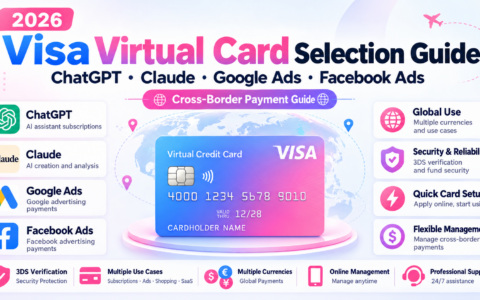
Especially in scenarios such as Facebook Ads, Google Ads, TikTok Ads, ChatGPT, Claude, Google Cloud, Apple Developer, and overseas SaaS subscriptions, users often encounter prompts such as "Card Declined", "Payment Failed", and "Transaction Declined".
A common initial reaction is:
Is the balance insufficient?
Balance is only one factor that affects whether a payment succeeds.
One easily overlooked factor is whether the virtual card BIN is compatible with the intended use case.
1. What is a virtual card BIN?
A BIN is the initial set of digits in a payment-card number. It identifies the card issuer, card network, and related card information.
For virtual card users, different BINs may correspond to different issuers, networks, regions, transaction rules, and supported purchase types.
Payment transactions also typically include a merchant category code (MCC), which identifies the merchant's industry. Advertising services, for example, have corresponding category codes. Stripe's payment documentation describes using MCCs to set spending-category restrictions on issued cards.
Therefore:
Whether a virtual card works depends not only on its Visa or Mastercard network, but also on whether the card supports the intended use case.
2. Why can the same virtual card be used on some platforms but fail to pay on others?
This is actually the most common pitfall for many new users.
For example:
You successfully pay for an AI subscription with a virtual card.
You might then assume:
"If this card works for an AI subscription, it should also work on advertising platforms, right?"
But adding the card to Facebook Ads fails.
Or:
Advertising charges go through, but a SaaS purchase fails.
Why?
Because the payment rules of different merchants are not exactly the same.
Cards may have restrictions based on merchant category, region, transaction type, and other conditions. A transaction may be declined if its merchant category falls outside the card's permitted uses. MCC restrictions vary across virtual card products.
Therefore, card compatibility must be considered in the context of the intended use case.
3. Why do BIN requirements vary by use case?
1. Facebook/Google/TikTok Advertising
Advertising payments commonly involve:
Frequent transactions, amounts that may increase over time, and automatic charges.
Advertising platforms typically charge a saved payment method as advertising costs accrue, rather than collecting a single one-time payment.
When choosing virtual cards, advertisers should check:
- Support for the intended advertising platform
- Support for recurring charges
- Support for the relevant region
- Support for the platform's required verification method
- Support for the relevant MCC
- Reliability for the intended payments
A common mistake in advertising payments is:
Issuing many cards simply because a BIN has a low opening fee.
If the BIN is not compatible with advertising payments, adding more money may not solve the problem.
2. ChatGPT, Claude, Gemini and other AI subscriptions
AI subscriptions and advertising have different payment requirements.
AI subscriptions typically involve:
- Automatic monthly renewal
- Card verification
- Billing Information
- Card issuance region
- 3DS/SCA verification
- Prepaid or virtual card acceptance
Therefore, not all advertising cards are suitable for subscribing to AI services.
AI platforms may have different requirements for card type, issuance region, billing details, and verification. Troubleshooting information on AI subscription payment failures commonly identifies card type, issuance region, billing address, 3DS, and platform risk checks as relevant factors.
A BIN that works for advertising does not necessarily work for AI subscriptions.
This distinction is easy for new users to overlook.
3. SaaS, cloud services, developer services
For example:
- Google Cloud
- AWS
- Azure
- Apple Developer
- Various SaaS tools
- Overseas software subscription
These services typically involve long-term subscriptions or recurring charges.
When choosing a virtual card, you need to confirm the following:
Support for subscriptions, automatic charges, and the relevant merchant categories.
If you issue a card based only on a claim that it "supports overseas purchases," you may encounter this sequence:
The first payment succeeds
↓
The automatic charge fails in the second month
↓
The account becomes overdue
↓
The service is suspended
For subscription payments, check ongoing reliability rather than relying on a single successful payment.
4. Why consider BIN compatibility before the card opening fee?
When choosing a card, many users first ask:
How much does it cost to open a card?
Next, they ask:
How much is the funding fee?
Then:
Are the card fees high?
For business use, consider compatibility before price.
First: identify your use case
Will you use the card for:
Advertising?
AI subscription?
Cross-border e-commerce?
SaaS?
Cloud services?
Shopping overseas?
Identify the use case first, then choose the card.
Second: Check whether the BIN matches
Check whether the BIN supports your intended purchase type.
Third: Look at payment stability
Do not assume long-term reliability based on a single test.
Fourth: compare fees
If a low-cost card causes failed payments, interrupted ads, or lapsed subscriptions, the savings in card fees may not compensate for the business disruption.
5. Common problems caused by an incompatible BIN
Result 1: Payment fails despite a sufficient balance
A declined payment may result from card rules, merchant-category restrictions, regional limitations, verification requirements, or the issuer's risk checks.
Result 2: The card works on one platform but fails on another
This can easily lead to a mistaken assumption.
Remember:
One successful payment does not establish compatibility with every platform.
Just because a BIN performs well in scenario A, does not mean it will also work in scenario B.
Result 3: The first payment succeeds, but renewals fail
This is particularly relevant to subscriptions.
After the first charge succeeds, a user may assume that the card will continue to work.
But the following month:
Automatic renewal failed.
For subscriptions, focus on ongoing support for recurring charges.
6. How should you choose a virtual card BIN?
Keep this principle in mind:
Identify your use case, check BIN compatibility, and then compare fees.
Use the following approach:
Advertising → Choose a BIN compatible with your advertising platform
AI subscriptions → Choose a BIN that supports the intended AI service and recurring payments
SaaS and cloud services → Choose BINs that support subscriptions and the relevant merchant categories
Cross-border e-commerce → Choose a BIN compatible with online purchases
Corporate Procurement → Find card products suitable for corporate spending
Avoid doing it in reverse:
Find a cheap BIN → issue a card → try it everywhere → encounter failed payments → replace the card.
This can waste the card opening fee and lead to repeated failed transactions.
7. Focus on BIN compatibility, not the number of cards
There is a common saying in the virtual card industry:
More cards do not necessarily mean better cards, and more BIN options do not necessarily mean better compatibility for your needs.
For individual users, a card that matches their needs may be enough.
Advertisers, cross-border e-commerce sellers, SaaS teams, and businesses should organize their cards around their different payment needs.
For example:
Use advertising-compatible cards for advertising payments
Use subscription-compatible cards for AI services
Use business spending cards for corporate purchases
Manage different business activities separately where practical
This makes financial reporting easier and reduces confusion caused by mixing payments for different business activities.
8. Conclusion: Prioritize BIN compatibility
Issuing a virtual card does not mean that it can be used for every purchase.
Different platforms, different regions, and different merchant types may affect the final payment result.
If you find yourself asking:
"Why does my virtual card payment fail even though I have enough money?"
Do not immediately switch providers or keep adding money.
Check three questions first:
① What is the intended use case?
② Does the current BIN support that use case?
③ Do the merchant category, region and verification requirements match?
Many times, the real problem is not "the card cannot be used", but:
You chose the wrong BIN for this scenario.
For users who frequently pay for advertising, AI subscriptions, SaaS subscriptions, and cross-border purchases, choosing a compatible virtual card BIN is often more important than choosing the lowest card fee.
本文由 VCCMap 虚拟卡指南整理,转载请注明出处:https://vccmap.com/en/%e8%99%9a%e6%8b%9f%e5%8d%a1bin%e6%80%8e%e4%b9%88%e9%80%89%ef%bc%9f%e4%b8%8d%e5%90%8c%e6%b6%88%e8%b4%b9%e5%9c%ba%e6%99%af%e5%a6%82%e4%bd%95%e9%80%89%e6%8b%a9%e8%99%9a%e6%8b%9f%e5%8d%a1bin%ef%bc%9f202-3/